Showing posts with label Hardware. Show all posts

Wednesday, 16 September 2026

GPU Passthrough Crashes on UnRaid

Fixing RTX 3090 VFIO Passthrough Crashes on Unraid: QEMU, IOMMU and Physical Address Width

I recently ran into a particularly awkward GPU passthrough problem on my Unraid server. The machine is based on an AMD Threadripper 3960X with 128 GB RAM and an NVIDIA RTX 3090, with the 3090 passed through to a Windows 11 VM.

GPU passthrough initially appeared to work. Windows booted, the NVIDIA driver loaded, the desktop was stable, and even 4K video playback worked normally. However, as soon as the GPU was placed under substantial 3D load, it disappeared from the host and the VM failed.

Symptoms

Running Unigine Superposition at 1080p Medium caused the display to go black almost immediately. The Unraid/QEMU logs then contained errors along these lines:

vfio: Unable to power on device, stuck in D3 vfio_container_dma_map(..., 0x383000000000, 0x10000000, ...) = -14 (Bad address) 0000:4d:00.0: PCI peer-to-peer transactions on BARs are not supported. error: kvm run failed Bad address

Afterwards the GPU would often be inaccessible to VFIO, with failed D0/D3 power transitions, failed resets and PCIe link recovery attempts. A complete host power cycle was sometimes required before the card could be passed through again.

Monday, 25 May 2026

Unifi Doorbell -> BlueIris

Getting a UniFi Doorbell into Blue Iris (the hard way, because the easy way broke)

I use Blue Iris as my primary CCTV platform, but like many home lab tinkerers, I also have some UniFi kit in the mix. In this case, a UniFi doorbell camera managed by UniFi Protect on a UDM-Pro.

On paper, this should be easy. UniFi cameras can expose RTSP streams. Blue Iris can ingest RTSP streams. Job done.

Except, as usual, it wasn't quite that simple.

Wednesday, 7 August 2024

VirtualHere on piCorePlayer

This is niche...

I'm in the middle of building a DIY music streamer based around piCorePlayer on a Raspberry Pi with a HiFiBerry Digi+ Pro HAT. This will live in my main AV rack and output to my AV Processor.

I selected PiCorePlayer as I already run a Logitech Media Server (LMS) and have a few squeezebox devices, so that OS is a good fit for me.

I also have an Elgato StreamDeck that I purchased some time ago that I'd like to use in my Home Cinema. This device has a bunch of customisable buttons that I intend to configure with shortcuts for lighting, av system power etc. 

The issue I have is that the StreamDeck needs to be plugged in to a PC via USB for configuration and operation. I don't have a PC nearby, and would ideally like to manage it from a Virtual Windows machine, but that runs on my Unraid server in a different building.

It would be great to be able to use the Pi in my DIY streamer to somehow relay the StreamDeck to my VM.

I came across some VirtualHere software that appeared to do just that. This runs a 'server' on a computer that you can plug USB devices into, and a 'client; on a remote machine. The client can connect to the USB devices as if they were local. 

There is a linux/arm server for PIs available, and a Windows client. The problem is how to install it on PiCorePlayer, which is based on Tiny Core Linux (TCL), and while it supports extensions and the like, is fairly locked down, and ultimately runs in RAM with no persistent storage out of the box.

It took a while, but I finally came up with a somewhat bodged solution.....

Thursday, 24 August 2023

Backing up unRAID to Stabelebit Drivepool using Kopia

Since I retired Mediaserver 8.1 and  Mediaserver 8.2 in favour of Mediaserver 8.3, I've had a spacious ThermalTake Core X9 case and AMD FX-8320 based motherboard sitting around. I also have a selection of hard drives ranging from 500GB to 4TB that are retired from my main unRAID system. I'd been hankering to turn all of this into a backup server and, in fact, had made a few attempts that never really made it past proof of concept. It was time to attack the project seriously....


Friday, 21 July 2023

Best Triple Monitor USB-C Dock I've used


I've bought my fair share of docks and peripherals over the years as I love multi-monitor work set ups. My main workstation comprised a client issued HP corporate laptop that I used with a couple of older Dell U3014 30" displays. This was nice, but I was itching to add a third display that I had lying around and found an adapter that works perfectly.

It's a 'Selore' branded USB C to Dual HDMI Adapter,7 in 1 USB C Docking Station to Dual HDMI Displayport VGA Adapter,USB C to 3USB 2.0, Multi Monitor Adapter. I'm sure there are plenty of versions and brands of this, but this one does the job.

It's got 2x HDMI outputs and a Display Port. I connected up my 3x 30" panels, et volia!


Unfortunately, this only works its magic with Windows as it seems to be able to mirror on Macs, but not span. For now, though, I'm happy with it and can multitask happily.

Wednesday, 19 July 2023

Building an UnRaid Home Server for Media Storage and Automation

Are you looking to create a versatile and efficient home server that can handle your media storage needs while seamlessly integrating with your home automation system? If so, building an unRaid home server might be the solution you've been searching for. In this post, we'll explore the benefits of unRaid and provide practical advice on building your own home server for media storage and automation.

I've been using unRaid for home storage and automation for about 10 years now, and have been blogging about it here for almost as long. A lot of my posts are quite specific, so I thought I'd try a high level guide for those starting out. Let me know what you think, or if there are other specific topics you'd like to see covered.

Friday, 29 July 2022

Forcing HDR / Dolby Vision when not supported

 I came across VideoProcessor.org through a thread on AVSForums. From their own description, this sounded like something that might be of use for me to see how far I could push HDR on my venerable JVC X500 projector;

VideoProcessor turns a computer into a 4k HDR capable live video processor by connecting a video capture card to a renderer and taking care of details such as conversion, timing and HDR metadata.

This allows advanced renderers to do things like 3D LUT, HDR tone mapping, scaling, deinterlacing and much more which can significantly improve image quality on most displays and beamers.

It turned into quite the adventure, and when I finally got it working, I thought I'd write up the settings for posterity....

Monday, 11 April 2022

Streamer, with benefits

I've spent a while refining my a/v setup and finally got around to building a decent home for all the kit. It now all rests on a DIY pull-out and swivel rack that allows for access as needed. However, one of the problems with any rack is the proliferation of devices and cables. 

In the spirit of consolidation that underpins this blog,  I thought there must be a way of tidying all that up. So I started with a svelte computer case and starting adding stuff in until I was happy. 

Tuesday, 6 April 2021

The Good Schiit

Through a long and winding path that started with an offer on Readly, which allowed me access some Australian Hifi magazines I would not otherwise read, one of which contained a review of this book, I picked up 'Schiit Happened' by Jason Stoddard & Mike Moffat.

I'd been somewhat aware of the Schiit brand from reading reviews and online, but never paid all that much attention, and don't own any of their products. However, learning this book was a blend of business startup and audio engineering, it very much appealed to me.

It's very very easy to read. The writing style is informal, laid back and yet wildly informative. It gets very technical at times, and at other times is filled with riveting anecdotes and business insights. The overall impression is of a smart team who very much have their Schitt together, but we learn that they weren't always so efficient & switched on!

If you have even a passing interest in the audio industry, marketing, business, startups or how to deal with intrusive homeowner associations,  you can't really go wrong with this entertaining read.


Saturday, 13 March 2021

Solving HDMI Long Run Dropout

My Sky TV box feeds three displays throughout the house; a JVC projector in the Home Theatre, a Panasonic 58DX800 in one living room and a Samsung 7 Series TV in another All are more or less 4k , (the JVC is a Faux-K unit), but all support UHD resolution, which the Sky box outputs.

I don't see much value in the additional multi-room subscription for Sky as we really don't use more than one TV at a time, and on the odd occasions we do, we can run the Sky app on a playstation or other device.

So the challenge is how to route the signal to each device. All are reasonably proximate to the Sky box with runs from 7M for the projector to 15M for the two TVs.

I have the system set up as follows;


 The SkyQ box feeds an HDMI Splitter via a single HDMI cable. This serves 2 key functions; It allows me route to the 3 devices, but also strips HDCP, without which my JVC won't display an image.

One splitter output has a run of 20M Fibre 4K cable direct to the Panasonic TV, while the other goes to the Marantz AV8805 Cab/Sat input, to connect to the JVC projector as needed (Zone 1) and permanently routed to the Samsung TV (Zone 2)

This mostly works, except that the HDMI connection to the Panasonic TV is unstable, (red arrow above).. From time to time there are merge visual artefacts (green lines), some audio drop-out and fairly frequent re-syncs where the screen blanks and resets, resulting in a 1-2 second interruption.

I'm on my second or maybe third cable and thought that this Fibre version would resolve the problem, but unfortunately not. I've also tried all sorts of configurations including testing direct cable connection between the SkyQ box and the TV, but the problem always exists. Some combination of this TV model and the cable run length is problematic.

Before considering purchase of an expensive 8K Fibre cable, I thought I'd try HDMI over ethernet as I had a spare AVAccess HDBaseT extender kit I'm not using. The configuration now looks like this;


And this works perfectly. The AVAccess devices are rated at 4K60Hz over 40M Cat5e, which is more than enough for my needs. Been watching UHD content all through the day without any hiccups so, problem solved!

I've written before about these devices for routing virtual computers, but they really are very flexible pieces of kit. If you're having trouble with lengthy HDMI runs, you could do worse than look at this solution.

Monday, 14 December 2020

Maybe the best gadget I've ever bought?


Fairly insidiously, Amazon has taken over my house.  I now have various iterations of FireTVs connected to each TV, and almost every room has an echo device.

I'm not complaining really, these are great pieces of technology, and voice control is a lot more useful that I would have envisaged a few years ago. 

And the FireTV is excellent - easy to use and supports everything I use on a regular basis; Netflix, Kodi, Spotify, Emby Amazon Video and more. However, there's one thing that' been bugging me -  it's lack of true bit-streaming of extended sound formats. I use Kodi quite a bit for my media library, and there are many titles in there with fancy surround formats that just don't make it out to my AV system unscathed.

This is only an issue in my Home Cinema which has a full 7.1.4 system that can make best use of such soundtracks (everywhere else is plain old stereo).

I've been reading about the nVidia Shield for a while and finally bought one to see if it could replace the FireTV in this room. Here's how I got on with it...

Saturday, 5 December 2020

Set up Sky Fibre Broadband with Unifi USG

I recently moved from eir to Sky for TV, phone and broadband. My old eir modem supported bridging which allowed it play nice with my USG and the rest of the Unifi network. Unfortunately, the Sky modem does not support bridging. The usual advice online is to eliminate the Sky hardware and add a dedicated modem such as the Draytek V120. This is not an option for me as I'm also subscribing to Sky Talk, and that passes through the Sky modem.

That leaves only one option: configure the Sky modem with DMZ pointing to the USG WAN IP address. The downside is that this setup introduces double NAT which may impact some gaming setups, port forwarding etc., but it's the only way I could get interoperability...

Thursday, 26 November 2020

Configure Eir F2000 modem with Unifi USG

So I don't forget (again) ....

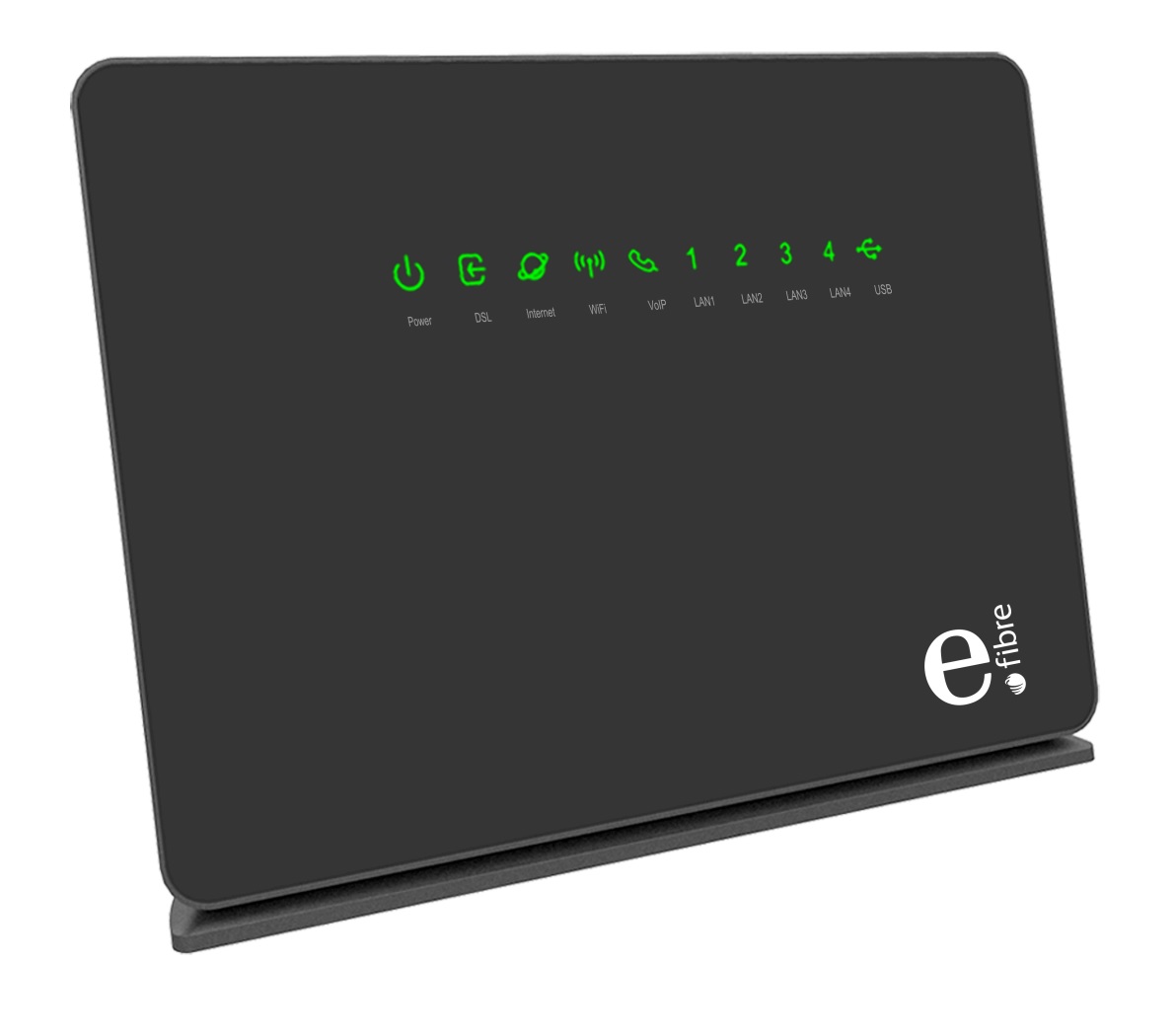
Having implemented a Unifi network infrastructure that's solved my home WiFI problems and introduced a degree of structure and security to my network, I wanted to document how I'd configured my service provider all-in-one modem/router to act as just a modem in front o the Unifi USG that handles or hands off everything else.

The first thing to note is that, once this is set up, it won't be possible to access the ISP modem interface from inside the network. (well, actually, it might be possible, but I was too lazy to figure out the required routing rules and configuration, so I just connect up as outlined below).

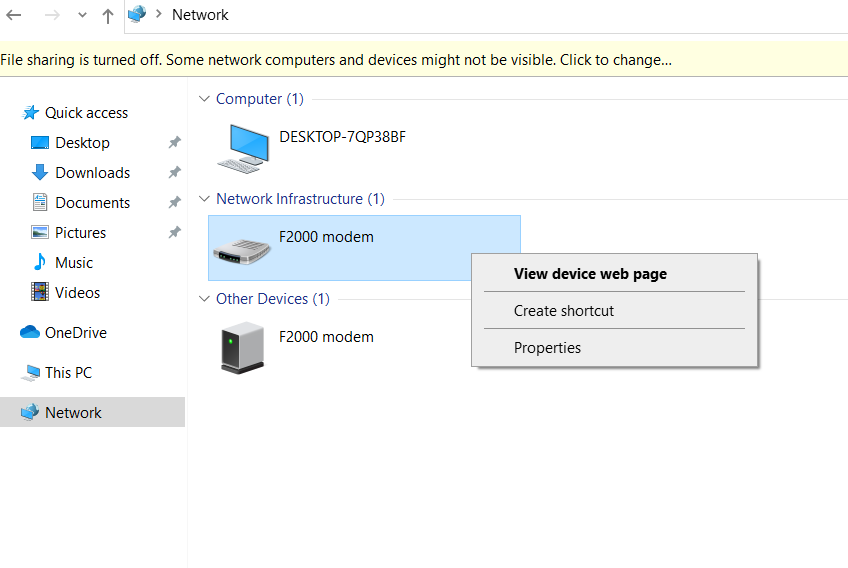
My setup sees the incoming DSL line connected to the F2000 as usual. My EirTV IPTV box is directly connected to one of the F2000 LAN ports. Another patch cable runs from another F2000 LAN port to the WAN port on the USG.

When I need to configure the F2000, I connect a laptop directly to a third LAN port. It shows up in the network of Windows 10 as follows (other OS may vary);


Friday, 17 July 2020

Problems passing through GPU to an unRaid VM?

One of the most common problems I see people seeking help for on unRaid forums, reddit and discord is the thorny issue of GPU pass-through. People with the same problems tend to ask the same questions over and over, and, somewhat tired of providing the same troubleshooting steps over and over, I thought I'd write up the main pitfalls, and possible solutions.

Here are some steps to check before reaching out for help.

1. Have you done your research?

As noted, there's a ton of threads on unRaid forums covering this, many successfully resolved. Do conduct a search there. For example, searching 'problem with gpu passthrough' today produces 40 pages of results. Chances are, your issue has been raised and resolved several times before.

Another oft-posted remark is something along the lines of 'I followed spaceinvaderone's video, and it still doesn't work'.

In most cases where I've seen this, the user has incorrectly followed the video - missing a key step or subtle point. This is NOT a straightforward process. There are many variables involved and SpaceInvaderOne's videos are packed with information. He does an amazing job of explaining the complex process step by step, so make sure to rewatch these videos several times to ensure you haven't missed anything.

If you haven't been following one of his videos for GPU pas-through, why not? Get very familiar with the process and follow along before posting queries;

Here are some links to his channels;

Research done? Let's look at some of the common missteps....

Tuesday, 9 June 2020

X-Case X465E First Impressions

My current server lives in a ThermalTake Core X9 case. While I like it a lot, and its generous dimensions have allowed me add lots of PCIe cards,  its proving itself to be somewhat toasty, especially for drives which are often reporting high temperatures.

The system lives in an attic space that heats up over summer which does not help with thermals. The unwieldy size and din generated by multiple fans makes moving location somewhat tricky.

For the past few weeks, I've been toying with the idea of slimming down and going for a rack mount setup. In this mindset, I came across the X-Case X456E from xcase.co.uk. This is touted as a 12 slot 4U rackmount server case. This piqued my interest as the extra PCI slot capacity is something that I'd modded in to my current case, and here it was, out of the box.

This trick is achieved by moving the PSU to the front of the case. The compromise here is a reduction in hard drive capacity (8x 3.5"). However, happy to live with this and use a second chassis for any additional drives, I went ahead and bought one.

There were a few obvious improvements to be made which I documented in this first impressions video;


Friday, 24 April 2020

MediaServer 8.3 - Bifurcation Edition


Some hardware updates, some minor mods and lots of cabling later, I've managed to get my unRAID server hosting eleven (13?) usable PCIe/PCI expansion cards which I'm using to manage storage devices and populate VMs with passthrough GPU, USB and Utility adapters.

All with 2x slots to spare on my 5x slot mainboard.

Here's how...

Sunday, 19 April 2020

unRAID discrete USB Passthrough to multiple VMs

For a while, I've been working towards consolidation of machines into VMs on my unRAID system.  unRAID is great for this as it allows for hardware passthrough of devices such as GPUs, USB adapters and other items. Passthrough of discrete USB controllers is especially important. unRAID does allow direct device passthrough, but I've found this unsatisfactory for a number of reasons. Mainly, it's not a great solution for high-bandwidth devices such as audio cards. Also, it's not really plug'n'play, with hot swapping being somewhat patchy.

Passthrough of the full controller solves these problems, One of the challenges of this approach is however, physical capacity for discrete devices. With each VM requiring a PCIe GPU and a USB adapter, it's possible to run out of slots fairly quickly. Yes, it's possible to use on-board controllers, but that's not always a full solution and PCIe cards are often required in addition.

Another approach is to use multi-controller PCIe USB adapters. These are cards the occupy a single slot, provide multiple ports and. crucially, have multiple on-board USB controllers that would, in theory, permit each controller to be passed through to a separate VM.

One such card is the Sonnet Allegro USB3-PRO-4PM-E, sadly now discontinued. There are alternatives, but as users in this thread are finding out, broad compatibility is patchy.

As an alternative, I've been using a PCIe expansion kit to pass through discrete controllers to VMs. These devices were all the rage during the mining boom as they allowed users attach multiple GPUs to a single PCIe slot in order to leverage compute power. They work by essentially switching multiple PCIe ports through a single 1x motherboard port. Although the device sports four 16x mechanical slots, each is in itself only a 1x slot - but that's all that's needed for a USB controller.

Friday, 27 December 2019

Solved - Av Access USB prevents system boot

In a previous post, I'd detailed my setup of using a  4KEX100-KVM  to extend an unRaid VM to a very remote screen over ethernet.

This has worked out great, with one exception. With the Av Access transmitter USB plugged in to my server, the system would not post. It was necessary for me to unplug the USB, wait for post and unRaid to start booting, then plug the USB back in.

This was a chore, especially as my server sits in my attic and can be a pain to access.

I was living with the issue as thankfully I don't need to reboot too often, but in researching something else recently, I came across a known issue with some older USB devices. It turns out that some USB devices feed +5V back to the host adapter. This can result in some motherboards failing to post - my symptoms exactly.

The extreme solution is to sever the +5V wire in the USB cable (!) but before going that far, I decided to try placing a USB hub inline between the USB host adapter and the transmitter unit. Hey Presto! I can now boot and reboot without issue.

All hail the interweb.


Tuesday, 24 December 2019

Video Surveillance on unRaid

Inspired by everyones favourite unRaid you tuber SpaceInvaderOne's then partially completed series on setting up CCTV in unRaid, I figured it was time to get started on a little bit of home security.

I'd previously worked on building an interface to my legacy Comfort alarm / home control system, and that's fine for basic alarm, but video was always the next step.

SpeaceInvaderOne conducted a basic analysis of cameras and software available, before publishing a walkthrough of how to set up his chosen Shinobi docker. This, along with some other research, started me on my journey. I went ahead and purchased two of the SV3C 1080p PoE cameras he mentioned. These would connected to the spare PoE ports on my Unifi Switch 8 (see my Unify blog post for more details).

I tried installing Shinobi, (before the walkthrough dropped), and failed miserably. In any case, I'd previously researched the area and at the time decided that Blue Iris looked like the best option for scalability and integration.

Thursday, 15 August 2019

Total Harmony


It was getting quite ridiculous. This is the set of remotes I had built up to control my HT. From right to left; Receiver, NowTV box, PVR, FireTV, BluRay, Projector, Squeezebox, DAC.

It's little wonder no-one else in the family used the system!

In the past, I'd used various Logitech Harmony remotes but all had outlived their usefulness and have been retired. A few months ago, I'd picked up a Harmony Companion set on Amazon warehouse for a steal, but hadn't got around to configuring it all until now.