Showing posts with label Node-Red. Show all posts

Wednesday, 13 May 2026

Building a Home Energy Dashboard with Node-RED, MQTT, InfluxDB and Grafana

I recently started building a local energy monitoring dashboard for my home solar setup. The goal was to take live data from my Solis inverter, process it in Node-RED, publish it through MQTT, store it in InfluxDB, and visualise it in Grafana.

This post outlines the first working version of that setup, and is a continuation of the initial retrieval of data from Solis into NodeRed


The Overall Architecture

The final data path looks like this:

Solis inverter
  ↓
Modbus TCP
  ↓
Node-RED
  ↓
MQTT / Mosquitto
  ↓
InfluxDB
  ↓
Grafana

The idea is to keep MQTT as the central message bus. Node-RED reads and decodes the inverter data, publishes useful values to MQTT, and also writes those values into InfluxDB for historical storage. Grafana then reads from InfluxDB to provide dashboards and charts.

Monday, 11 May 2026

Importing Solis Inverter Data to Node Red

I wanted a reliable way to pull live data from my Solis hybrid inverter into Node-RED. The goal was not just to view the same information shown in SolisCloud, but to make the data available locally for dashboards, automation, MQTT, Home Assistant / Homey, and eventually longer-term graphing in something like Grafana.

The SolisCloud app is useful, but it is not ideal for automation. It can lag by several minutes, and the values shown in the app are not always updated at the same moment. For automation, I wanted local data directly from the inverter/datalogger path.

This is what I ended up with;


Friday, 20 September 2024

Updates to announcing Reolink doorbells on Alexa

A while back, I wrote a post on how I build a Node-Red flow to allow me ask specific echo devices to announce visitors pressing my ReoLink doorbell. This worked great, but there were a couple of shortcomings; 
 
  • The list of registered devices would last only as long as Node-Red was active. If I needed to restart the Node-Red docker for any reason, I would also need to re-register announcement devices. 

  • The ONVIF node the flow relies on is a little flaky, and will occasionally just disappear from Node Red. 

I've added functionality to store the list of devices in a text file, so it persists between Node-Red restarts. I also added some notes on how to recover from the self-destructing ONVIF nodes, bring this all up to v1.1.1.


The device list saving is managed automatically as part of the voice registration process, but there's also a manual trigger that can be used in testing. If you use this, you might need to adjust the save and read file locations, particularly if you're not running Node-Red in a docker, like me.

The full flow is pasted below;

Saturday, 4 November 2023

Announce ReoLink Doorbell on Echo Devices

I recently installed a Reolink POE Video Doorbell, and like it a lot. Its got great picture, doesn't require web connectivity, and integrates really well with my Unraid.html">Blue Iris set up
. The only issue I have is that notifications on my mobile are poor and often missed. The bundled chime works OK inside the house, but when I'm in my detached office, I can often miss visitors.


I thought it would be nice to have the doorbell ping my office Alexa when pressed. Of course, there's a skill for that, but as someone with a penchant for Node-Red automations and too much time on my hands, a project was born....

Wednesday, 19 July 2023

Building an UnRaid Home Server for Media Storage and Automation

Are you looking to create a versatile and efficient home server that can handle your media storage needs while seamlessly integrating with your home automation system? If so, building an unRaid home server might be the solution you've been searching for. In this post, we'll explore the benefits of unRaid and provide practical advice on building your own home server for media storage and automation.

I've been using unRaid for home storage and automation for about 10 years now, and have been blogging about it here for almost as long. A lot of my posts are quite specific, so I thought I'd try a high level guide for those starting out. Let me know what you think, or if there are other specific topics you'd like to see covered.

Sunday, 17 January 2021

User Presence Detection using Node-Red and Unifi


A big challenge in Home Automation is implementing a reliable mechanism for presence detection - figuring out who's home, and tailoring logic accordingly.

Here's how I do it using Node-Red, Unifi and MQTT.

Many approaches to presence detection rely on interacting with the device itself, either by way of software running on the mobile handset, or having the mobile ping or poll an external service. None of these approaches really appealed to me as they are fiddly, rely on handset configuration & maintenance and need to be reset every time someone gets a new phone.

The approach I've taken here is to rely on the fact that all the families' mobile phones are configured to connect to home WiFi (to save on data charges!). This method interrogates the home network to see what phones are present - a good indication that the person is home.

In short, I have a Node-Red flow that polls the network on a schedule, looks for named devices, and updates presence status in MQTT based on that.

I could have used a database, or flat file storage for storing state, but as I have an MQTT broker running anyway, it's a convenient and flexible approach for me.

Sunday, 13 December 2020

Marantz / Denon IP Control in Node-Red

I'm enjoying my recently acquired Marantz AV8805 processor which is now the heart of my Home Cinema. My previous trusty SR7010 receiver is still working hard as a power amp, driving surround and height channels.

One of the challenges of running in this kind of configuration is that both units respond to the same remote control signals. I have switched off remote receiving on the SR7010 as I just want it to behave as a power amp. However, as the 7010 has no trigger inputs (alas, only outputs), the problem remains of how to power up the SR7010, and power it down, in tandem with the AV8805.

Here's the end result;


Here's how this was done in Node-Red....

Tuesday, 1 January 2019

The Grand Plan

Welcome to Mediaserver8, a place where I document my adventures in home automation and media serving - mostly for my own reference and future sanity!

I'm going to keep this post on top and maintain the overview schematic at Gliffy to offer an introduction to my HA system as it evolves. (Here's a direct link to a scalable version of this diagram).

Card

Read on for a detailed breakdown of this setup...

Thursday, 12 January 2017

unRAID as a software dev. platform

unRaid continues to amaze.

I find myself in the middle of a spare-time software development project that quickly grew from a personal home automation idea to a quite public 'when's it ready' kind of thing. It's the development of an Alexa Skill to allow spoken commands to an Amazon Echo to control Squeezebox devices. (see Hab-Tunes.com for the project details).

Monday, 14 November 2016

Alexa, meet Squeezebox

Since my Amazon Dot arrived, I've been smitten. A little like how I didn't think I'd use a smart watch until I bought a Fossil Founder, I though voice control a gimmick until I started playing with Alexa. In the past few days I've been toying with the idea of building full Alexa control of my squeezebox based whole-house audio system. Here's what I've managed so far. It's a basic proof of concept but it does work;


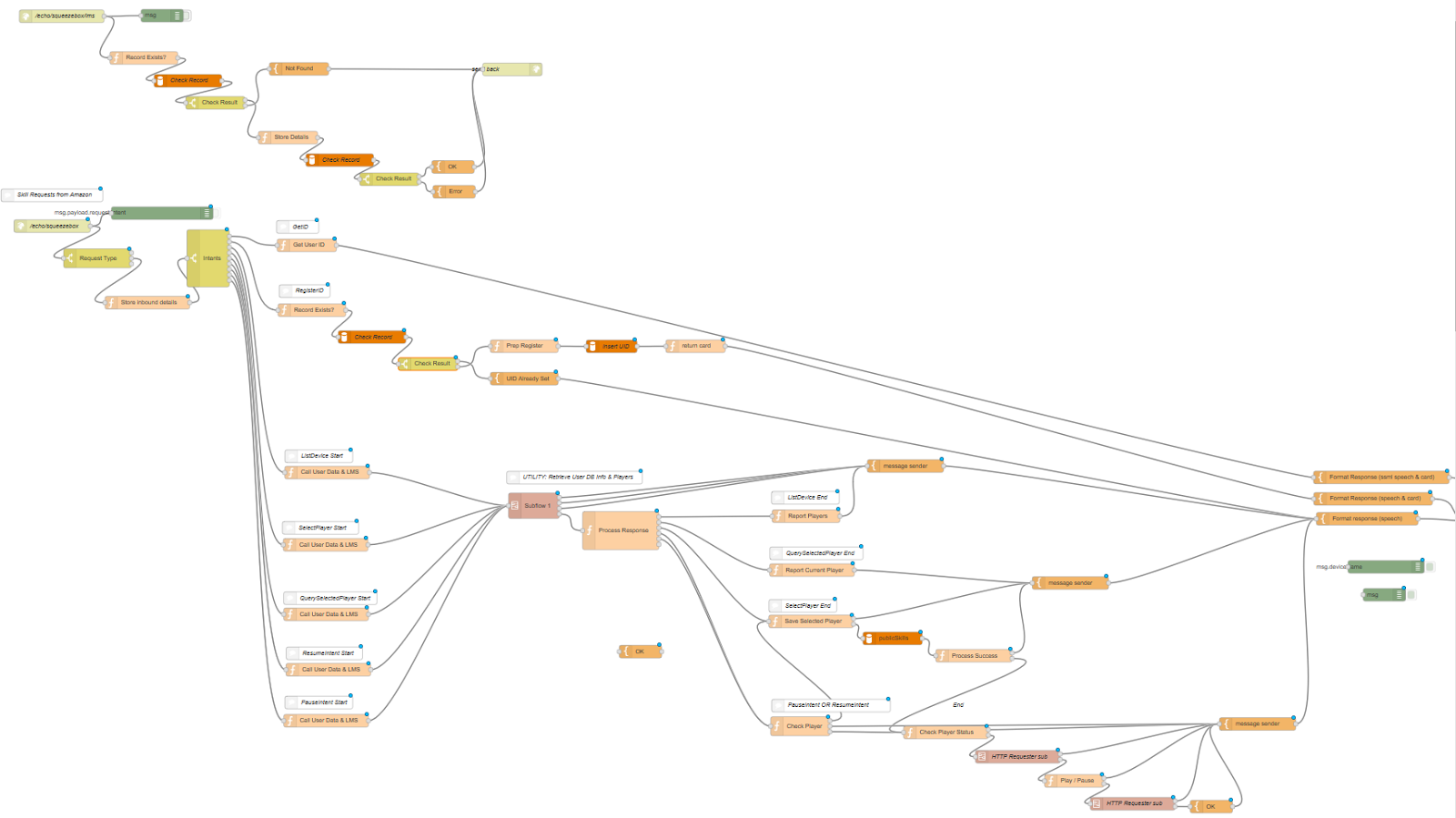
This comprises a very basic LMS plug-in which links the local squeeze server software to the cloud-based skill. The skill is written using Node-RED with a mySQL database in the background.  I'm really growing to love Node-RED more and more and it seems ideal for flow-based functionality like an Alexa skill. Here's the current flow that drives the demo in the video;


There's still a long way to go but so far this is promising and a blast to put together.


Friday, 11 November 2016

Importing a lib for use in Node-Red in a Docker

In one of my Node-Red flows, I wanted to use the fuzzyset.js library. This has an npm installer but it didn't work inside the docker. The recommended approach is to install to the /data directory (appdata/nodered) from the host system but as unRAID doesn't support npm, I couldn't do that either.

So, I had a .js library that I needed to manually install and use. Here's how I did it;

First, from unRaid console, I created a 'fuzzyset' folder inside /mnt/user/docker/appdata/nodered/lib/. Then, I copied the fuzzyset.js file to this folder.

Next, I edited this part of the/mnt/user/docker/appdata/nodered/settings.js file to include the library;


 functionGlobalContext: {

      fuzzyset:require('/data/lib/fuzzyset/fuzzyset.js')

    },


Then, I could call and use the fuzzyset functions inside a node-red function like this


   var FuzzySet = context.global.get('fuzzyset');


   var a = FuzzySet(someArray);
   var result = a.get("Some String");


Monday, 31 October 2016

Authentication for Amazon Voice Services

In an effort to have my new Echo Dot announce incoming telephone calls, I would need to have it do push notifications. Sadly, this is not yet available on the echo platform. Happily, there is a workaround via custom skills that relies on leveraging Amazon Voice Services - essentially building parts of an echo in software.

To do so, it's necessary to obtain an access token to facilitate calls to the voice services api. This is not a straightforward process - and it's just a prerequisite for the push notifications themselves. I'm logging the process here for future reference!

Thursday, 27 October 2016

Skilling Up

In anticipation of an Amazon Echo Dot arriving, I've been looking at ways of integrating voice control into home automation. There's a certain amount that Alexa can do by herself but to really tailor things, it's necessary to build custom skills. To get these integrated with my emerging openHAB / Node-RED infrastructure, I set about setting up MediaServer8 to act as a host for the skills logic, thereby allowing me to hook sensors and devices into the skills via Node-RED. (My design objective is to run as much code and services as I can locally to minimise reliances on web services and allow everything to be glued together on my local server).

The idea was to run the core skill logic on my Node-RED install running on my unRAID server. To acheive this, I largely followed this excellent guide which required me to set up an Amazon Developer account. Alexa skills can be configured to process on either the Amazon Lambda service or on a user-defined https endpoint.

Monday, 24 October 2016

unRAID Node-RED Docker with HTTPS

I'm knee-deep in setting up a bunch of automation stuff and was very interested to come across a blog article from Nathan Chantrell outlining how to set up an amazon Echo skill to allow voice commands such as 'Alexa, tell the house to....'. This allows Echo be extended beyond just the basic 'turn on, turn off commands' and permits custom responses as well.

Nathan uses Node-RED at the core of his automation system and I've been gravitating towards this as well, having previously set it up as an unRAID docker for helping openHab communicate with my legacy Comfort controller. It's a very flexible system and, when combined with MQTT, really does offer a great solution for managing automation messaging.

However, to implement this skill, it's necessary to allow Amazon development servers have access to my Node-RED instance running on my unRAID. The first step in this is getting Node-RED running in HTTPS mode.

Thursday, 20 October 2016

openHAB debugger

Having previously set up the infrastructure for connecting my legacy Comfort system to openHab, I've started working with openHab items, sitemaps and rules to respond to sensor status updates. In doing so, I've ben working with scripts in openHAB and have been a bit frustrated by the level of debugging available. With MQTT and Node-Red in place, I wrote a simple facility to easily trace code objects and values.

Monday, 10 October 2016

Seeking Comfort


Embarking on the great home automation project of 2016, I wanted to get my openHAB installation talking to my legacy Comfort system.

I'd installed the comfort system 15 years ago, (it's a Comfort Pro), and it's been very reliable if somewhat basic since. At it's core, it's a home automation system that can function as a security system, telephone answering machine, lighting controller, infra-red blaster and a number of other tasks.

It's got a range of modular input and output systems and in my case, connects to the outside world via an RS232 serial interface. (USB and Ethernet options are also available but I don't have them). The system can be programmed and works on the basis of zones/inputs and responses so can be set up to, say, switch a light on if a particular sensor is tripped after dark.

I have window and door sensors connected up as well as a few PIRs as well as an X-10 interface for lighting control. There's a doorphone at the front door and the system is connected to the telephone line. This means that if we're not at home and the doorbell rings, we can set the system to call a mobile and we can speak to the person at the door. Neat.

Comfort has been updated over the years and version 2 has been out for a while with support for more modern protocols etc. but as an upgrade would require me to replace the entire system, I didn't bother.

Now with a renewed interest in home automation and a decision to pursue openHAB as the core, I needed to find a way to get Comfort and openHab linked up. I really don't want to throw out a perfectly good alarm system and have to rebuild it all again with new components just to get the same functionality. My ambition is to reuse and recycle what I have if it's fit for purpose.

Sunday, 9 October 2016

MQTT bi-directional communications in PERL

In attempting to interface openHab with my Comfort system, I needed to adapt an existing Perl linux driver for Comfort to work in Windows. The idea is that a small Perl program manages serial communications with the Comfort system and uses the IoT protocol MQTT to pass messages back and forth with openHab.

In doing so, I found that there was a very limited amount of information on integrating MQTT with Perl. There is a minimal MQTT interface for Perl that does the trick but the sample code was not obvious to me and there's very little else out there.

I've written a vey basic Perl <-> MQTT program to show how basic input and output is achieved.