Thursday, 8 December 2016
The TV selection challenge

It's time for a new TV. Our main TV is an 8 year old Sony Bravia 40" and while it's still perfectly serviceable, it is showing it's age in terms of picture quality and features. We now have an XBox One S and Fire TV HD attached and so have multiple 4K sources (UHD Blu-Ray, Netflix and Amazon). The time seems right to take the plunge with 4k and HDR.
I didn't think this would be so difficult.
It started easily enough - figure out a panel size and a budget. Initially I figured a 50" would be a great improvement and would be pocket-friendly as well as prices increase somewhat when going from 50" to 55". To be sure, we borrowed a 55" set for a few days to confirm that it would be too big for the room. It wasn't. It was perfect and, even though it was only a HD set (Panasonic DS500), the improvement in quality over the old Sony was astounding.
Tuesday, 6 December 2016
Why Emby's not for me

I so want to like Emby. I use the server as a lynchpin of my whole-house a/v system, integrating it with Kodi front ends where it provides excellent media management and serving. I've recently starting using Amazon FireTV devices as clients and, while it's possible to sideload Kodi on these devices, it's not a seamless process and there's always a question mark over how long it will be tolerated on that platform.
Emby client looks like it might be a viable alternative. It's a natural fit with the server and it's a fully-fledged member of the app community with a presence in all the relevant app stores. Plus, the recent addition of LiveTV support makes it worth having a look at. LiveTV is a big part of my system and PVR is a significant part of the way we use TVC in our house. There's a TvHeadEnd instance running on the network that manages 6x terrestrial/satellite tuners with channels accessed through Kodi TV plugins.
Of course, TvHeadEnd is not an officially integrated TV backend for Emby, like NextPVR or MediaPortal. There is a community plug-in though so it should work OK. I tried it in the web browser instance and eventually managed to get a picture so thought I'd try the dedicated client. This turned out to be unsatisfactory for a variety of reasons;
Thursday, 1 December 2016
Tidy up unRAID Docker folders
Since the latest unRAID update introduced the /mnt/users/docker share, my Docker files seem to be all over the place. I have some there and some in an /appdata share which seems to have scattered them on across the cache and the array.
I wanted to update all my Dockers to use the new /docker share and this is what I needed to do.
It turns out it's not just a matter of updating the AppData Config Path field for each docker - it doesn't seem possible to do that for an installed Docker, (changes don't stick). Instead, it's necessary to go through the worrying process of removing the Docker and reinstalling it!
Here's the steps I followed;
Tuesday, 29 November 2016
I'm on Fire

 account since the early naughties and do most of my online purchases there. This was brought home to me this week when I signed in to Amazon Music for the first time and found that it populated itself with all of the CDs I'd purchased over the past 15 years. In all that time, however, I've only been dipping my toes into the Amazon world.
 I recently acquired an Echo Dot and signed up for a developer account in order to write skills for it. For some reason, this has magically indoctrinated me into the Amazon way and I'm turning into the biggest fanboy.
Over roughly the same period, I've been trying to find the ideal whole-house entertainment system. I've built more HTPCs than you could shake a stick at and have tried all the back-ends there are from SageTV to my current fav., a TVHeadEnd/EMBY combo. However, there's always been at least one shortcoming in anything I've tried.
With my new Prime account, I thought I'd try an Amazon FireTV device - just to see, I ordred a FireTV and plugged it in to the living room set, replacing a Gigabyte Brix HTPC. I installed Kodi and a FLIRC for IR control and started playing.
Monday, 14 November 2016
Alexa, meet Squeezebox
Since my Amazon Dot arrived, I've been smitten. A little like how I didn't think I'd use a smart watch until I bought a Fossil Founder, I though voice control a gimmick until I started playing with Alexa. In the past few days I've been toying with the idea of building full Alexa control of my squeezebox based whole-house audio system. Here's what I've managed so far. It's a basic proof of concept but it does work;
This comprises a very basic LMS plug-in which links the local squeeze server software to the cloud-based skill. The skill is written using Node-RED with a mySQL database in the background. I'm really growing to love Node-RED more and more and it seems ideal for flow-based functionality like an Alexa skill. Here's the current flow that drives the demo in the video;
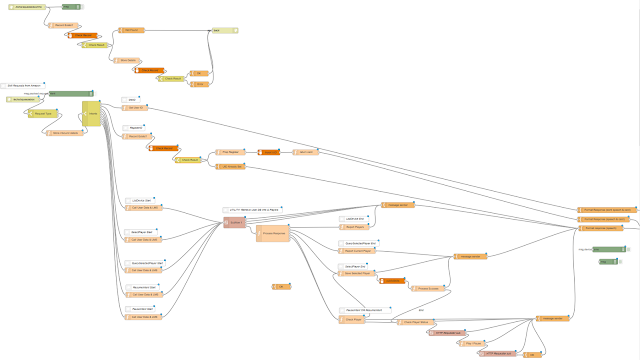
There's still a long way to go but so far this is promising and a blast to put together.
This comprises a very basic LMS plug-in which links the local squeeze server software to the cloud-based skill. The skill is written using Node-RED with a mySQL database in the background. I'm really growing to love Node-RED more and more and it seems ideal for flow-based functionality like an Alexa skill. Here's the current flow that drives the demo in the video;
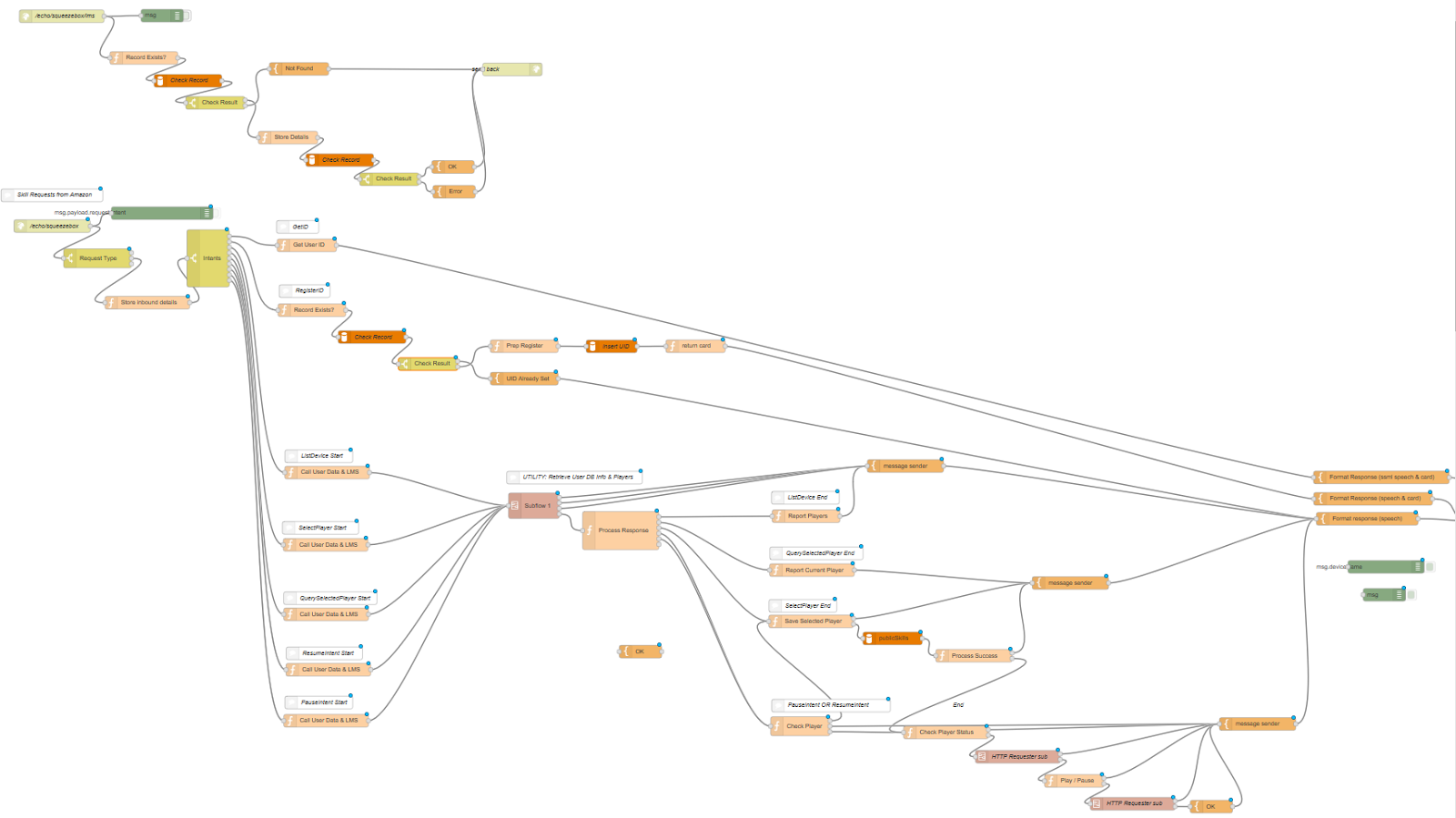
There's still a long way to go but so far this is promising and a blast to put together.
Friday, 11 November 2016
Importing a lib for use in Node-Red in a Docker
In one of my Node-Red flows, I wanted to use the fuzzyset.js library. This has an npm installer but it didn't work inside the docker. The recommended approach is to install to the /data directory (appdata/nodered) from the host system but as unRAID doesn't support npm, I couldn't do that either.
So, I had a .js library that I needed to manually install and use. Here's how I did it;
First, from unRaid console, I created a 'fuzzyset' folder inside /mnt/user/docker/appdata/nodered/lib/. Then, I copied the fuzzyset.js file to this folder.
Next, I edited this part of the/mnt/user/docker/appdata/nodered/settings.js file to include the library;
Then, I could call and use the fuzzyset functions inside a node-red function like this
So, I had a .js library that I needed to manually install and use. Here's how I did it;
First, from unRaid console, I created a 'fuzzyset' folder inside /mnt/user/docker/appdata/nodered/lib/. Then, I copied the fuzzyset.js file to this folder.
Next, I edited this part of the/mnt/user/docker/appdata/nodered/settings.js file to include the library;
 functionGlobalContext: {

      fuzzyset:require('/data/lib/fuzzyset/fuzzyset.js')

    },
Then, I could call and use the fuzzyset functions inside a node-red function like this
   var FuzzySet = context.global.get('fuzzyset');


   var a = FuzzySet(someArray);
   var result = a.get("Some String");
Subscribe to:
Posts (Atom)
